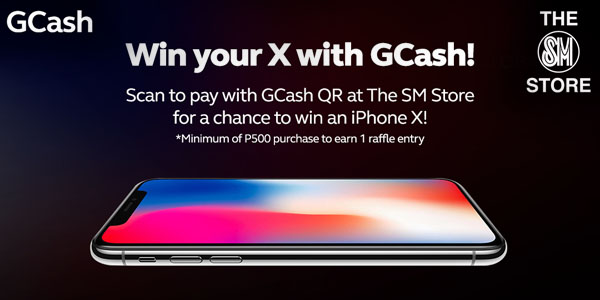
The SM Store shoppers nationwide are in for a treat as GCash mobile wallet is set to raffle off 10 iPhone X from February to April this year.
To qualify, existing and new GCash App users just need to pay their The SM Store purchases using the GCash scan to pay feature which all The SM Stores in the country started accepting last December. Each single receipt value of at least P500 is equal to one raffle entry. Promo is valid on a monthly basis from January 15 to April 15, 2018 per DTI-FTEB Permit No.0579 Series of 2018.
Distribution of prizes, draw schedules, and valid entries are as follows:
| Spend Period | Jan 15 – Feb 15, 2018 | Feb 16 – March 15, 2018 | March 16 – April 15, 2018 |
| Draw date | Feb 20, 2018 | March 20, 2018 | April 20, 2018 |
| Number of iPhones | 3 | 3 | 4 |
While monthly winners are no longer qualified for the succeeding raffle draws, others may still get a chance to win the following month by transacting using GCash scan to pay in The SM Store again.
The winners will be notified by GCash through registered mail, mobile number (SMS and phone call) for instructions on how to claim their prize. The announcement of raffle winners will also be done through the Official GCash Facebook Page (https://www.facebook.com/gcashofficial/) according to announcement schedule.
How to use GCash scan to pay:
-
-
- Download the GCash app on your smartphone and sign up, or update the GCash app to the latest version and login.
- Click “Pay QR” on the dashboard, then click “Scan QR Code” to access the QR scanner. You can also swipe left from the dashboard to access the scanner immediately.
- Scan to pay in The SM Store during payment
- Input the amount to be paid as stated by the merchant’s POS and frontliner
- Confirm the payment details of the transaction
- Upon success of payment, an sms will be received by the customer and the merchant front liner indicating that payment has been done.
-
Not yet a GCash subscriber? Register to GCash now by downloading the GCash App or by dialing *143#, select GCash and register.
Learn more about GCash by visiting www.gcash.com. Follow its social media channels: www.facebook.com/gcashofficial,www.twitter.com/gcashofficial, and www.instagram.com/gcashofficial.